
Tools and Features
What you can do in the portal
The employer portal gives you convenient access to everything you need to support your employees. In it, you can:
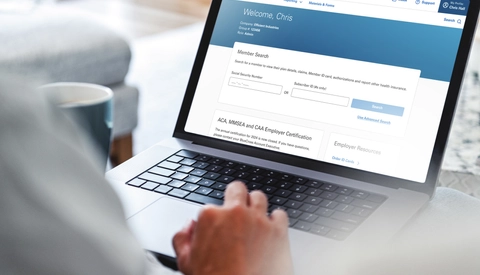
- View plan details, claims, ID cards and authorizations, and report other health insurance coverage for employees.
- Run reports like claims billing, COBRA vouchers and over-age dependents.
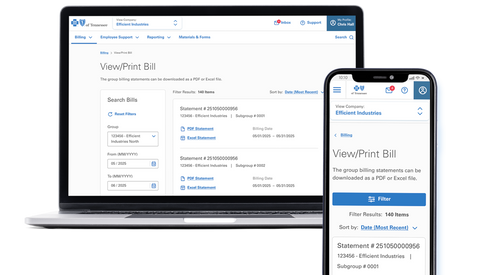
- Access and download billing statements and make payments securely.
- Download training materials, product guides and essential forms.
- Submit COBRA applications on behalf of employees.
- Order and download ID cards for individuals or your entire group.
- Enroll new employees or update existing records using eNroll.
NEW FEATURES
Your new redesigned portal
We’ve reworked the portal to make it easier to use and find what you need. Here are a few things you can expect:
- A clean, contemporary look that's easier to use.
- Simple navigation and reorganized content to help you quickly find what you need.
- Seamless experience, whether you use it on desktop, a mobile device or tablet.

BE ON THE LOOKOUT
Register for the new portal
You'll need to register for the new portal. We'll send emails with instructions soon to Group Administrators. You'll need your group PIN to register. If you forgot your PIN, you can view it by logging in to the current portal and navigating to “My Profile.” If you don’t have a PIN, you can request that by using our PIN request tool here or by giving your BlueCross Sales or Account Executive a call. We'll mail you a copy of your PIN after you request it.
Group Administrators
Group Administrators can access all features in the portal, including benefits information, claims(if the group allows), and billing. They can also grant or remove others' access to the group's portal account.
Standard User
All other users are considered standard users. They'll also have access to all portal features, but they won't be able to add or remove portal users. Group Administrators need to grant access to standard users.
